






From WhatsApp links to one platform: how we gave a growing tutoring centre its time back
A busy exam-prep centre was running hundreds of students and dozens of teachers on Zoom, Google Meet, WhatsApp and memory. We built them a single custom platform where every class, recording, document and student lives in one place. Attendance rose 17%, yearly revenue grew 8%, and the owner now spends most of each session watching the business instead of chasing it.
One platform, measured
- Attendance
+17%
attendance
- Revenue
+8%
yearly revenue
- Recordings
0
forgotten recordings
- Changes
2
clicks to reschedule a class
- Scale
10,000+
student accounts
- First release
1 mo
to the first core feature
- Client
- Tutoring centre preparing students for national final exams
- Scale today
- 10,000+ student accounts, 33 teachers, 896 groups, 3,991 courses
- Problem
- Manual links, scattered messages, no central client database
- Solution
- Custom platform with admin, teacher and student dashboards, built on the Zoom API
- Timeline
- 1 month to first release, 6 more months, then 1 year of light support
- Stack
- Next.js, Zoom API, custom database design
The challenge: great teaching, buried in admin
The centre's teaching was strong. Its operations were not built to grow.
Like most tutoring businesses, they had tried the well-known tools: Zoom, Google Meet, Microsoft Teams and Google Classroom. Each one handled the video call. None of them handled the business around it.
A normal week looked like this:
- Links sent by hand. Before every class, staff opened WhatsApp or Facebook Messenger and sent the meeting link to each group, one by one.
- Every change meant starting again. Move a class by an hour and someone had to contact every affected student a second time.
- Documents everywhere. Course materials travelled through chats and Classroom posts, and nobody could be sure who had what.
- No single view of a client. When a student bought a second course, their details lived in several places. Filtering by class, subject or programme was guesswork.
- Feedback and exams were awkward. Collecting student feedback or running a test meant yet another tool.
With a handful of groups, this was annoying. Once numbers grew, it became the main thing holding the business back.
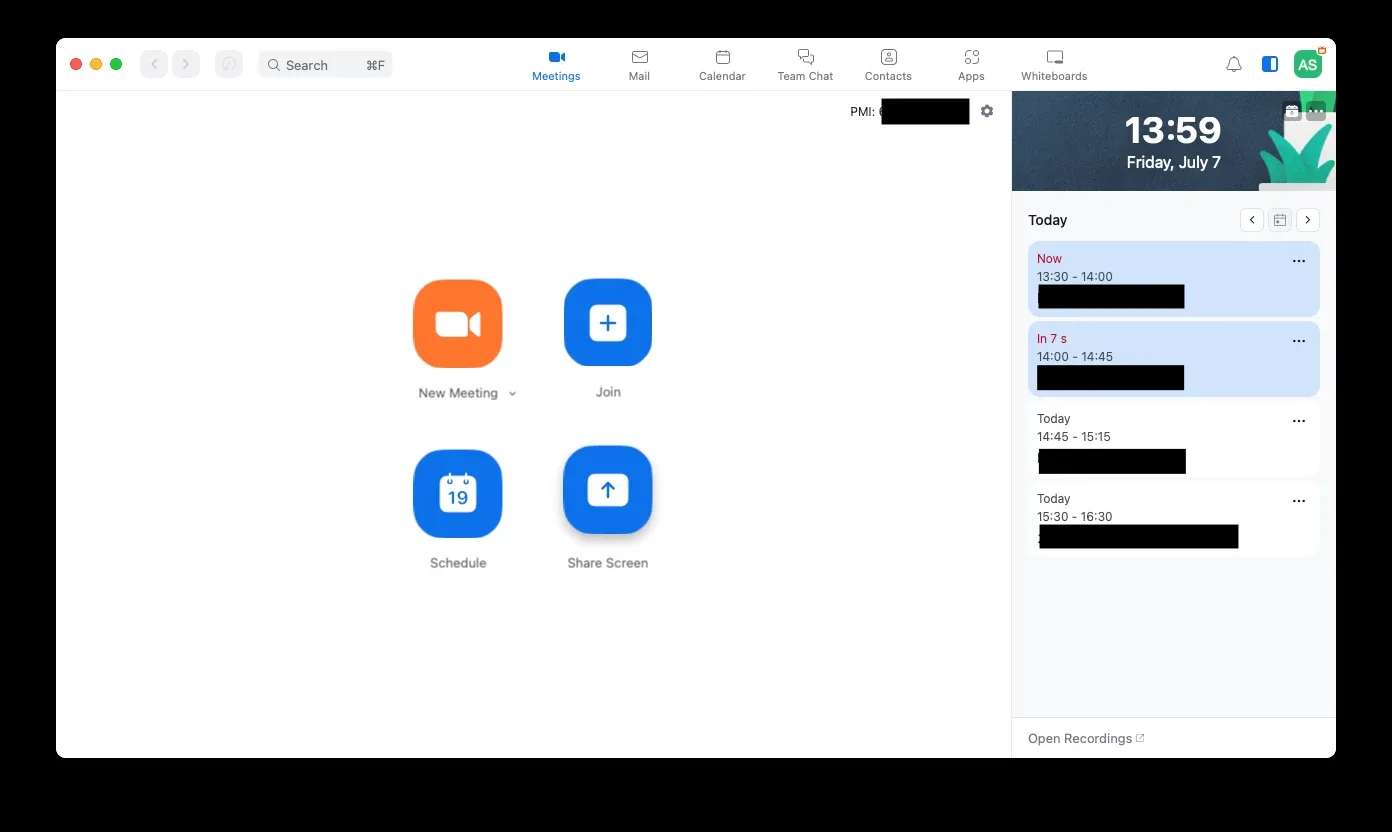
Before: great meeting tools, but not business tools. 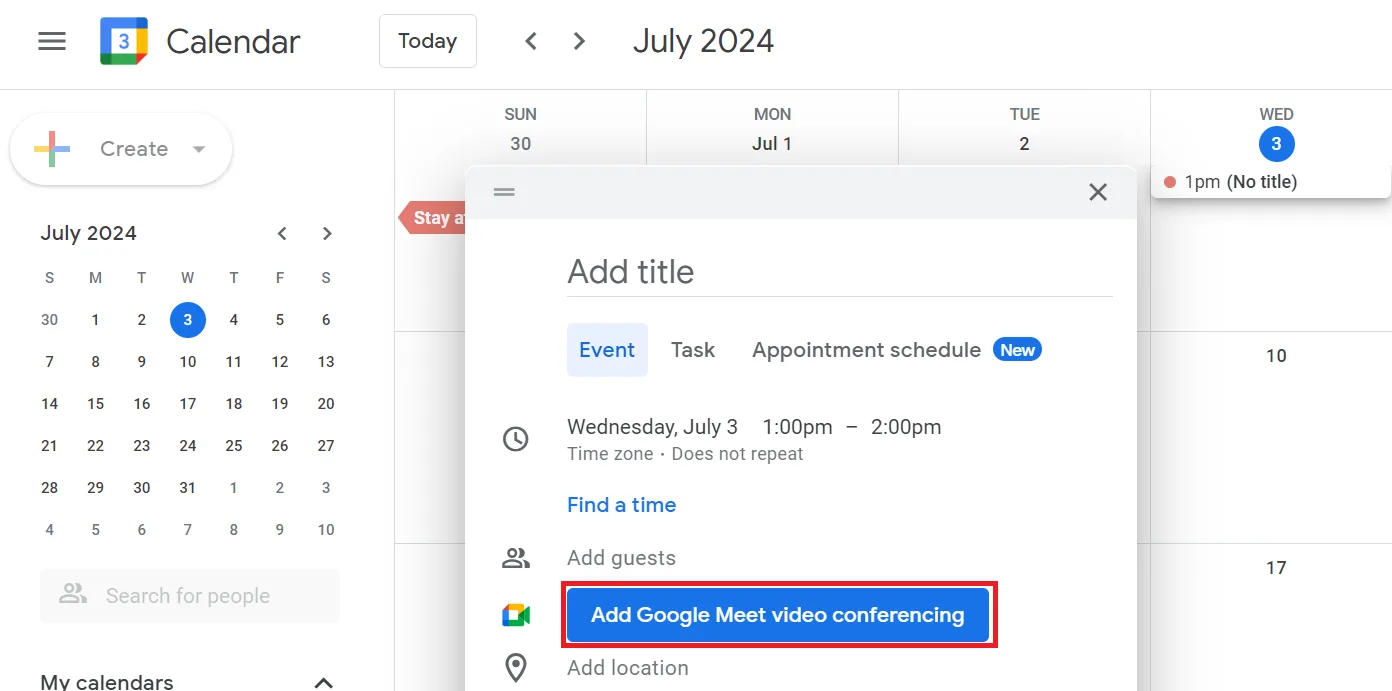
Every link, change and reminder was manual.
How we started: we lived their days before writing any code
We didn't start with a requirements document. We started by becoming the client for a few days. Over three to five days, our team:
- Sat in on real classes alongside teachers, to see how a session actually ran.
- Played the student, joining meetings and waiting for links like any learner would.
- Tested the administration hard. We messaged the centre's WhatsApp and Facebook page with every kind of request, on purpose, to see where the process strained.
- Talked to everyone: owners, teachers and students.
Interviews tell you what people think the problem is. Living the problem shows you what it really is. It also let us suggest solutions the client hadn't thought to ask for, because we had felt the same friction ourselves.
Our approach: one feature first, then the snowball
We could have planned a huge platform and disappeared for a year. Instead, we shipped one feature in one month and let the client touch it.
The first feature: one-click classes. We studied the Zoom API in depth, then built two small portals and a simple admin side:
- The centre enters names, days and times once, and the platform creates an account for every student and teacher.
- Each student sees their own classes, often 10 to 15, in their dashboard. Each teacher sees theirs.
- On the day, the teacher clicks Launch. Students click once and they're in. No link was ever sent.
The moment it clicked. The first time a teacher pressed that button and found every student already waiting in class, the client's reaction said it all. They stopped seeing a video tool and started seeing a system to run the whole centre.
Then the snowball. Because we had already lived the client's days, we knew what came next. Each new feature answered a real request:
- 1.Class recordings, because the first thing students asked after a class was to watch it again.
- 2.Documents, so course materials live next to the class they belong to.
- 3.Attendance lists for teachers, so the centre can see exactly who showed up.
- 4.Direct contact tools, so staff can call or message a student from their profile, like a CRM app built into the platform.
- 5.Two-click rescheduling: change a time, and every affected student is notified automatically.
- 6.Session reminders, so students always know what's next.
- 7.A live admin dashboard with students, teachers, groups, courses and statistics on one page.
- 8.An end-of-year revision module, which lets existing students sign up for final-exam preparation.
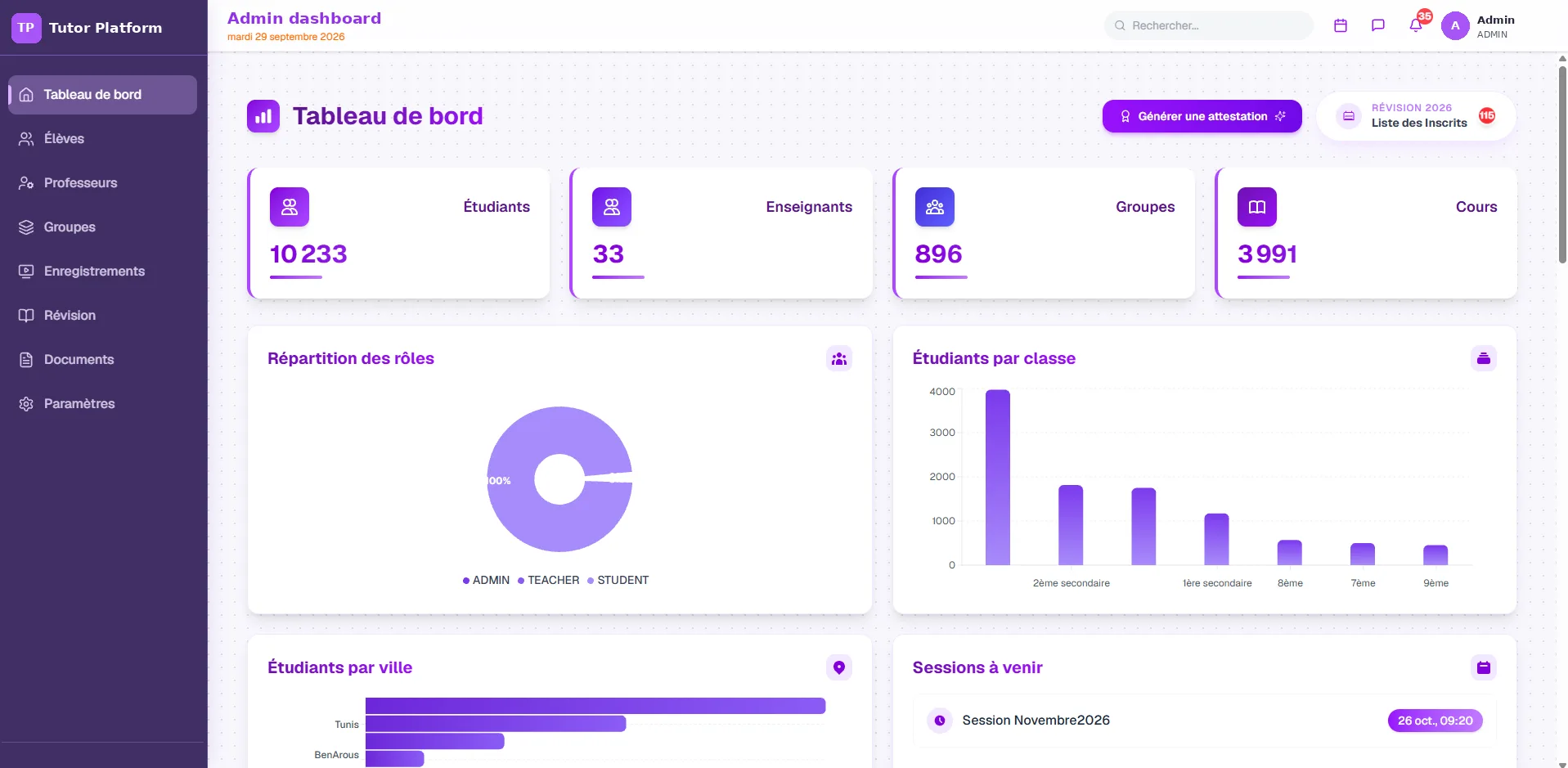
Every number the owner needs, on one page. 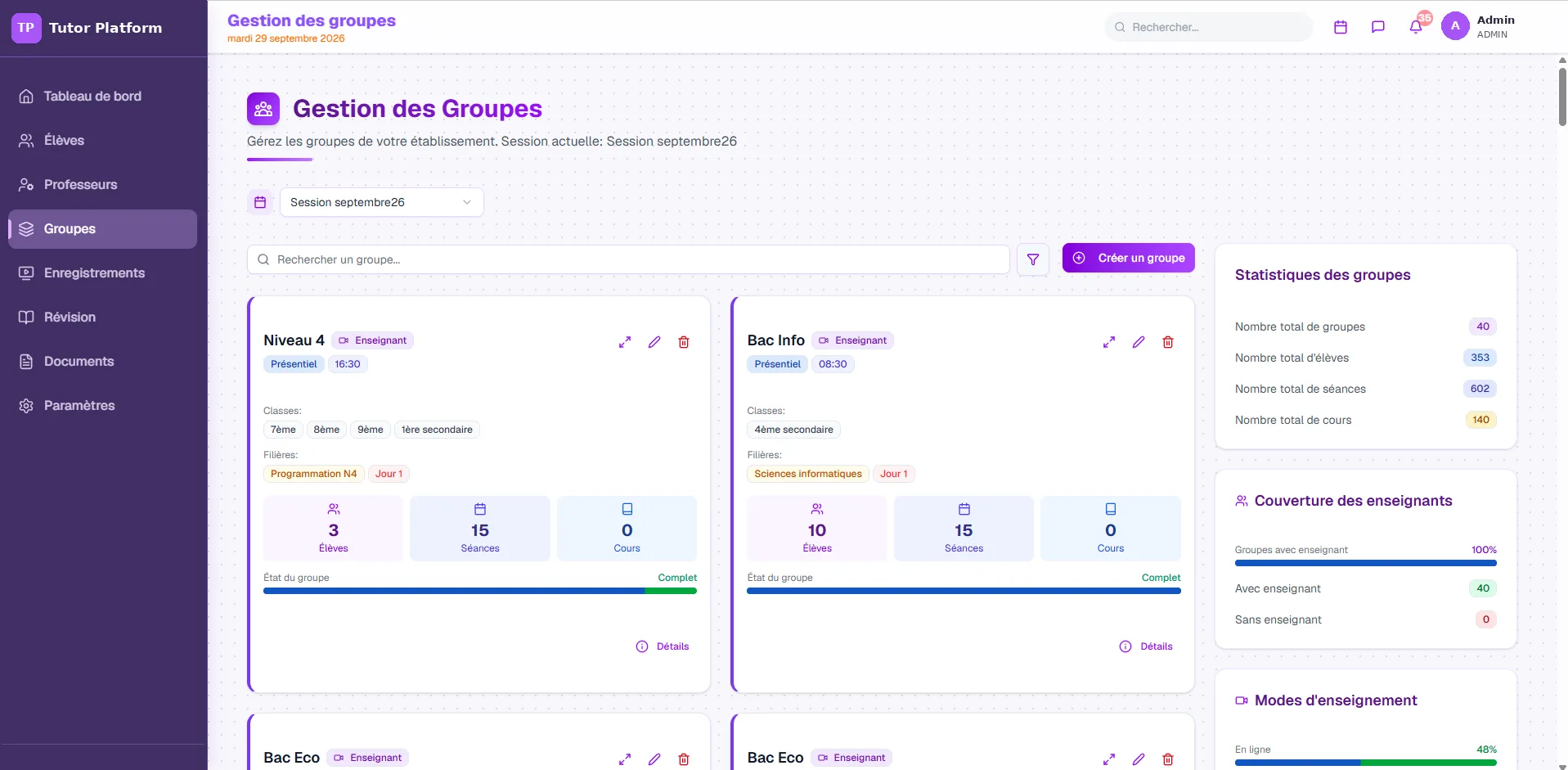
Groups, classes, schedules and teacher coverage at a glance. 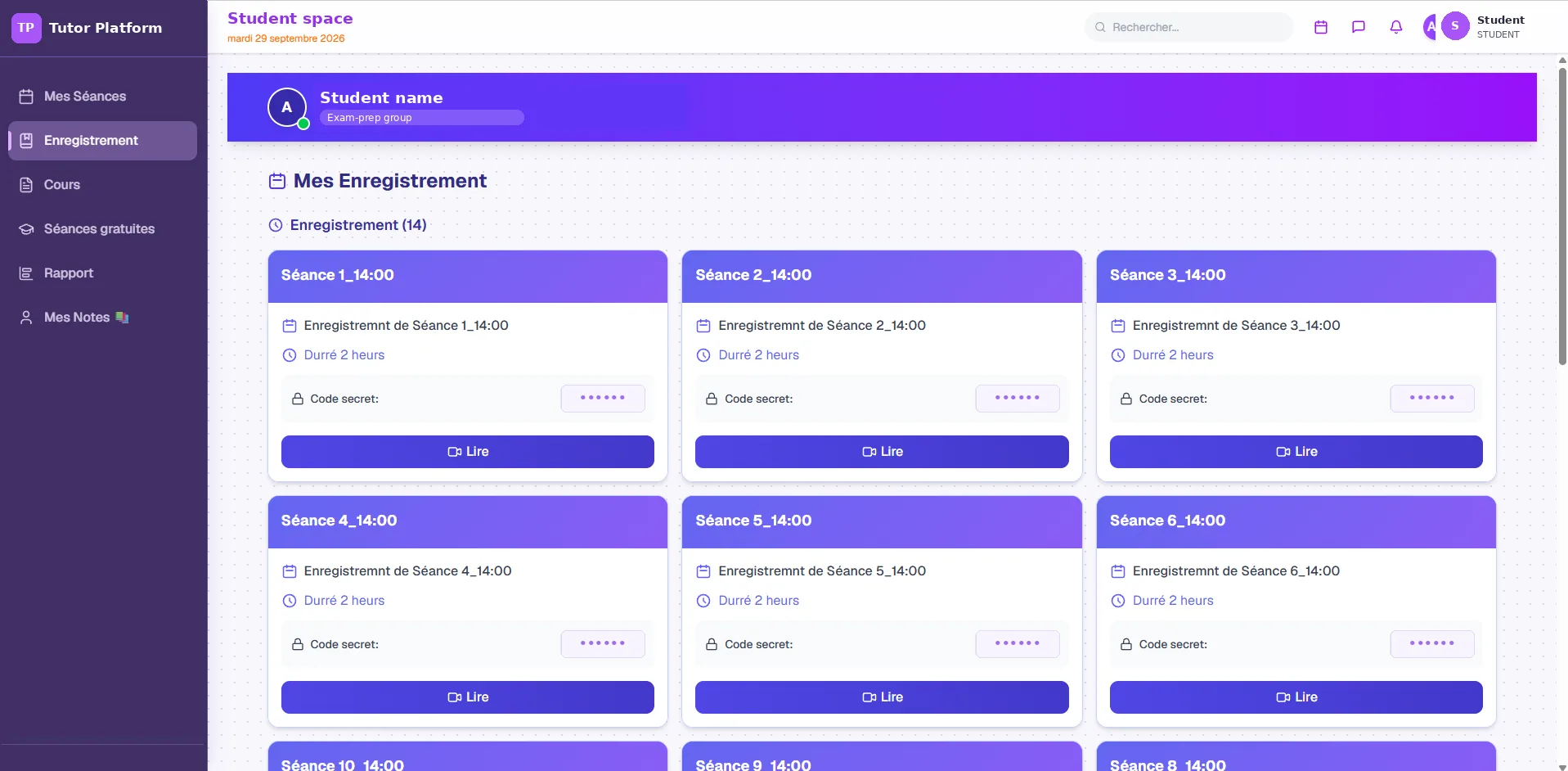
Students rewatch any class from their own dashboard.
What went wrong, and what it taught us
No real project runs perfectly. These are the moments that shaped how we build today.
Returning students landing in old accounts. When a student came back the following year, the centre sent them a fresh link. But cookies from the previous year were still in their browser, so the link opened their old account. We spotted it quickly and fixed how accounts and links are handled for returning students.
30% of classes weren't being recorded. At first, teachers had to start the recording manually at the beginning of each class. People forget, and about 30% of sessions went unrecorded. After digging into the Zoom API, we switched on automatic cloud recording. Now every class is recorded without anyone lifting a finger.
The lesson behind both: remove the human step. Early on, when the owner wanted something done, he told the teachers. But instructions get missed. If you want a process to be measurable and close to error-free, it has to be built into the system as a click or a request, not left to someone's memory. Every manual step you leave in is a place where things break.
That principle now guides every platform we design.
The platform changed how the centre runs, and the numbers show it
| Result | What changed |
|---|---|
| +17% attendance | Every student sees their schedule clearly in their dashboard and gets reminders, so fewer classes are forgotten. |
| +8% yearly revenue | The end-of-year revision module lets existing students sign up again with one message at the right time, with no extra sales effort. |
| 0 forgotten recordings | Automatic recording replaced a manual step that missed about 30% of classes. |
| 2 clicks to reschedule | Change a time and every affected student is notified automatically. |
| Full visibility | The owner can see, live, which teachers started on time and took attendance, and step in whenever quality needs a nudge. |
Today the platform supports more than 10,000 student accounts, 33 teachers and nearly 900 groups, all from one dashboard.
Now, in each monthly session, I spend about 10% of my time at the start on planning and strategy, and 10% at the end reviewing student satisfaction. The platform takes care of the rest.
Running your business through a patchwork of tools?
Leave your number. We'll call you, look at how you work today and tell you honestly whether a custom platform makes sense for you.
When off-the-shelf tools stop working
We'll be honest: you don't always need custom software.
If you run five or six classes with 20 to 30 students, Google Classroom, Moodle or Zoom plus a spreadsheet will serve you well. Save your money.
The picture changes at scale. With 300 or 400 students in the same month and 20 teachers, those tools keep you permanently stuck in operations. You spend your days sending links and chasing people instead of growing the business. That is the point where custom software development for small business starts paying for itself.
With the right system, a session day looks different. Your team prepared everything in advance. While classes run, you open the dashboard, check that every teacher started on time and is taking attendance, and see which students haven't shown up. Your assistants call them the same day. You move them to a better time or a better-suited subject before they drift away. In our experience, that early follow-up alone can recover 5 to 7% of revenue.
The platform runs the routine. You focus on the few clients who need attention, then plan the next session.
The same is true outside education. Gyms, studios and membership organisations run on classes, schedules, attendance and reminders too. Built this way, gym booking software stops being a calendar and starts running the business, the way this platform runs the centre.
How we build
- We ship value first. One core feature in weeks, not a year-long project you can't see.
- We design the database carefully up front. A missed field discovered later means rework, and rework costs the client money. Years of similar projects have taught us to get this right early.
- We fit your stack. This platform uses Next.js and the Zoom API, but we build from scratch, extend an existing platform, or work with the technology you already use, the same way we approach every custom web application development project. Integration is part of the build: the Zoom connection here is the work you would hire a CRM integration agency for, done by the team that designed the database.
- We move fast with AI-assisted development, without cutting corners on structure.
- Hosting your way. We can host and maintain it on our servers, or deploy to your own infrastructure.
- We stay close. After the first release (1 month) and the full platform (6 more months), we supported the client for about a year with roughly one request a month. The platform is now mature and the client runs it independently, and we're still here when they need something new.
The same platform for gyms, fitness studios and membership businesses
Swap "students" for "members" and "teachers" for "coaches", and this project becomes the system many fitness and membership businesses are looking for.
- Fitness class management software
Classes that run themselves
Groups, coaches, schedules, attendance and two-click rescheduling, the same way this centre runs 896 groups from one dashboard.
- Fitness class booking software
Book, remind, show up
Members book, get reminders, and join in one click. Attendance rose 17% here for exactly that reason.
- Membership CRM software
Members who come back
Profiles, history, direct contact tools and a renewal moment, like the revision module that added 8% to yearly revenue.
- CRM for fitness industry
Follow up with no-shows
See who didn't turn up, and have someone call them the same day. That early follow-up can recover 5 to 7% of revenue.
- Gym CRM software
One view of every member
Bookings, payments, attendance and messages in one record, with the gym booking software built in rather than bolted on. Gym booking software UK studios can shape to their own timetable.
- CRM integration agency work
Connected to what you use
Zoom, SMS, email and payments wired in by the team that designed the database, not a separate CRM integration agency.
Let's talk about your platform
This project was for a tutoring centre, but the pattern applies anywhere a business has outgrown manual processes and scattered tools: training companies, coaching businesses, membership services and more. If your team spends its days copying, pasting and reminding, we can help.
More case studies
Frequently asked questions
No, and neither would you. We built the platform on the Zoom API ourselves: the centre enters names, days and times once, and the platform creates accounts, schedules classes and turns on automatic cloud recording. It is the work you would hire a CRM integration agency for, done by the team that designed the database.
One core feature, one-click classes, was live in one month. The full platform took six more months, followed by about a year of light support at roughly one request a month.
Honestly, if you run five or six classes with 20 to 30 students, Google Classroom, Moodle or Zoom plus a spreadsheet will serve you well. A custom platform pays off at scale, for example 300 to 400 students a month and 20 teachers.
Yes. Gyms and studios run on the same pattern: members, classes, schedules, attendance and reminders. Built this way, gym booking software launches classes, tracks attendance and follows up with members who stop showing up. It works as gym CRM software too, instead of a generic tool you work around.
Yes. Fitness class management software, fitness class booking software and membership CRM software all share this platform's core: people, groups, schedules, one-click sessions, reminders and a live admin view. We shape it around how your classes and memberships actually run.